 Meta Ads · Conversions API
Feed Meta's AI the signal it is missing
Meta Value Optimization for better leads.
Turn CRM outcomes into value signals for Meta. Use value-based bidding to optimise for the leads most likely to become valuable customers. None of your CRM is stored.
Today: every lead the same
With values: what each one is worth
- $14,235.90
- $5,240.01
- $2,437.42
Three leads from the sample dataset, priced step by step below. Your own appear in step 4.
- Website forms, quiz flows, instant forms
- Built for pipeline revenue
- Works with HubSpot or a CSV export
- Sent through the Conversions API
How it works
From your closed deals to what Meta optimises on
- 1
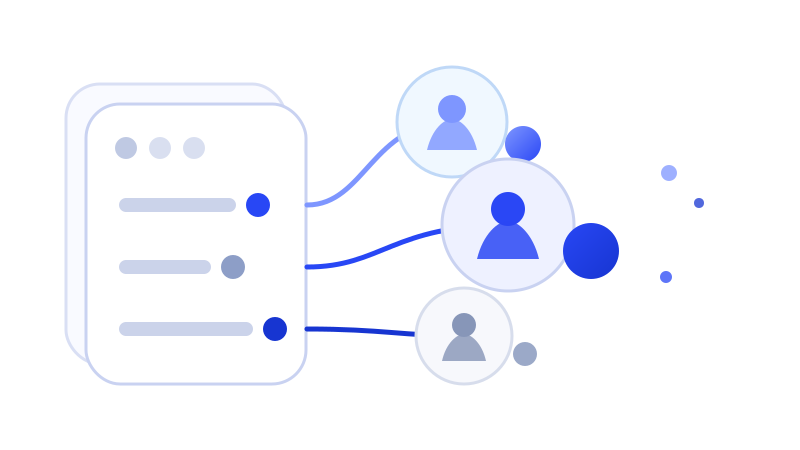
Measure
Upload a CRM export or connect HubSpot. AI reads your columns and your description of a good lead, then works out what each Meta lead is worth from your own win rates and deal sizes. Nothing invented.
- 2
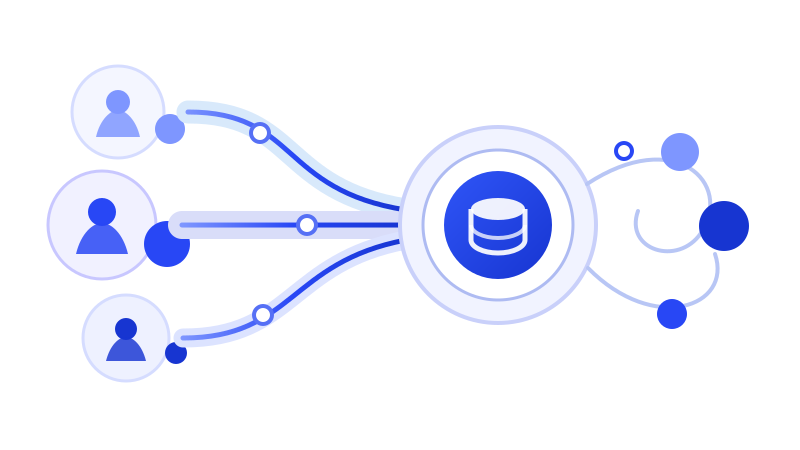
Connect
Connect Meta with one click and pick your Dataset. Every lead goes to it through the Conversions API with its Day-0 value, and every pipeline stage it reaches follows as an event of its own.
- 3

Prove
It keeps reading your CRM and tells you when your closed deals have moved far enough from the model to refit. Events Manager shows what Meta could attach a value to.
Why each lead got its number
Each value is the close rate and deal size your own history shows for leads like that one, fitted the moment the file lands. Nothing to configure. Every rule stays open to read, and to change if you know better.
Three leads from the sample dataset. Your report shows your own.
Sent to your Dataset as ValuedLead
- lead221@harborworks.com$14,235.90Corporate email ×1.25201–1,000 ×1.525Manufacturing ×1.621VP ×2.004This quarter ×1.505
- lead350@quarrytech.com$5,240.01Corporate email ×1.25201–1,000 ×1.525Manufacturing ×1.621Manager ×1.489Just exploring ×0.64
- lead74@outlook.com$2,437.42Free webmail ×0.514201–1,000 ×1.525Manufacturing ×1.621Director ×1.078
Meta takes one value per lead, sent the day it arrives, and never a change. This is the value Meta sees.
Before you start
Connect it or upload it, nothing is kept
What you'll need
- Your CRM: connect HubSpot, or export a CSV from Salesforce, Pipedrive, Close or a spreadsheet.
- An email or phone number on the lead, which is what Meta matches on, or Meta's lead ID for instant forms. Create dates and deal amounts for the values.
- Access to the Meta Business that owns your Dataset, for the last step. One click to connect, or a token Events Manager generates for you.
- For website forms and quiz flows, the one-line snippet, so each lead carries Meta's cookies, the browser and the page: Meta bids on a value only with those. Instant forms need no snippet; they carry Meta's lead ID instead.
What leaves your machine
- A file is read in your browser and never uploaded
- A connected CRM is read in memory, never written down
- Meta receives hashed contact details, its own cookies, the browser and page, and the value. Nothing more
The alternative
What a standard integration cannot do
Any integration can carry a stage update into Meta. Whether a value goes with it, and in the shape Meta bids on, is what decides whether your ad sets buy better leads.
| ZapierZapier or standard integration | ValueBasedBidding.com | |
|---|---|---|
| Sends CRM events to your Dataset through the Conversions API | ✓ | ✓ |
| Passes stage updates you have already defined | ✓ | ✓ |
| Sends a Day-0 value with every lead, as a website event Meta can bid on | ✕ | ✓ |
| Builds a value model from your CRM history | ✕ | ✓ |
| Keeps the valued event apart from your pixel's Lead, so nothing is counted twice | ✕ | ✓ |
| Caps outliers so one huge deal does not steer the ad set | ✕ | ✓ |
| Says which Meta goal your forms and volume allow, before anything is sent | ✕ | ✓ |
What Meta does with the values
Your forms decide what Meta can optimise on
The readiness check tells you which of these fits your account, on your own file, before you connect anything.
 1Available now
Website forms and quiz flows
Your ad sets optimise on ValuedLead, the event we send for every lead, counting leads at first. Each lead carries its value from the very first one, and Meta reports it, but it bids on the value only once the ad set is switched to value optimisation.
A quiz flow is any form that takes more than one screen. One run on a quiz tool's own domain, such as Typeform, matches on email and phone.
 2Available now
Instant forms
Meta's Conversion Leads goal learns from your pipeline stages, which we send as events of their own, and it is offered on instant forms only. Meta's own tests report 21% lower cost per quality lead than the plain Leads goal.
Needs Meta's lead ID saved in your CRM, and tens of leads a week. No snippet: the lead ID does the matching.
 3When your ad set earns it
Value optimisation
Once your ads optimising for ValuedLead have produced about 100 conversions from ads optimising for it, with at least five different values, in 14 days, Meta offers Maximise value of conversions. The Day-0 values we send from the first lead are what get you there.
Meta's bar for lead events; purchases need 30. We send ValuedLead as a website event with the browser and the page the snippet captured, which Meta needs before it bids on a value. A lead without them goes as a CRM event, reported but not bid on.
The 21% is Meta's own reported average for the Conversions API for CRM on instant forms, not a promise for any one account.
Before it can work
What your account needs
Four things have to be true, and the report checks every one of them against your own data. Run it either way: it will tell you which you are missing rather than leave you to guess.
50events per ad set a week
Enough volume to learn
Meta's own floor for leaving the learning phase. Bidding on value asks more, about 100 valued events in 14 days, and the report measures both.
1 yearof CRM history
Enough history to price on
Leads with what became of them, won and lost. Have less and nothing is refused: you get fewer signals priced, and the report names the ones it had to drop.
3×between low- and high-value leads
Real differences to find
Insurance, lending, legal, home services, education, B2B software. One product at one price has nothing for this to sort.
1match key on every lead
An email or phone to match on
Or Meta's lead ID on instant forms. On website forms the snippet adds Meta's cookies. Without a match key, events reach your Dataset and attach to no one.
Questions
Asked before connecting anything
Does Meta bid on the values from day one?
No. The values go to Meta with the first lead and show in your reports from then on, but Meta bids on them only once your ads optimising for ValuedLead have produced about 100 conversions from ads optimising for it, with at least five different values, in 14 days. Until then a website-form ad set optimises on ValuedLead as a count, and an instant-form ad set on Conversion Leads.
Why not just send the value when the deal closes?
Meta takes one value per lead and never a later change, and its window for a website event is seven days. A deal that closes in week six is reported but never bid on. So the value goes with the lead on the day it arrives, worked out from what similar leads closed for, and the closed deals feed the next refit.
What do I set up inside Meta?
One custom conversion on ValuedLead, in Events Manager. Point your website-form ad sets at it with Maximise number of conversions, then switch them to Maximise value of conversions once Meta offers it. For instant forms, choose the Conversion Leads goal and map your pipeline stages in Events Manager's CRM setup. The connect step walks you through it with your own event names.
Will this double count my pixel's Lead event?
No. The valued event goes under its own name, ValuedLead, never as a second Lead. Your pixel keeps firing Lead as it always has, and the ad set that bids on value optimises on ours.
What do you store?
Hashed identifiers, values, timestamps and the frozen model that priced them, and for Meta the browser and the page the form was on, which Meta needs before it bids on a value. Never a CRM record, a name or a deal amount. Your Meta token is stored encrypted and never shown again.
See what your own leads are worth to Meta
Upload a CRM export and find out whether your lead values vary, and by how much. About five minutes, and nothing is stored.